

Reference

877betcom App — Your Pocket Lobby

877betcom runs a mobile-optimised experience that opens directly in your phone browser — no waiting, no extra steps. Check whether a dedicated app build is currently available for your device by visiting the app section inside your account, where any supported download or browser…

Mobile browser accessAccount wallet on-screenAvailability check in-accountDevice continuity supportedLocal where law permits
877betcom 877betcom App — Your Pocket Lobby
877betcom Inside the 877betcom Mobile Experience

Inside the 877betcom Mobile Experience

Open the 877betcom mobile lobby and you land on your personal dashboard — slots from Pragmatic Play, live tables by Evolution, and crash games like Aviator all sit one tap away. Push alerts fire when your betslip settles or a quick-deposit confirmation comes through. The betslip stays pinned while you scroll markets, so switching between a PSL cricket line and a live

table game takes seconds. Fingerprint login cuts the sign-in path for returning accounts, and the quick-deposit shortcut surfaces your saved wallet so your JazzCash or Easypaisa transfer starts without re-entering details. Every session picks up where you left off, whether you switched from desktop or returned after a break.
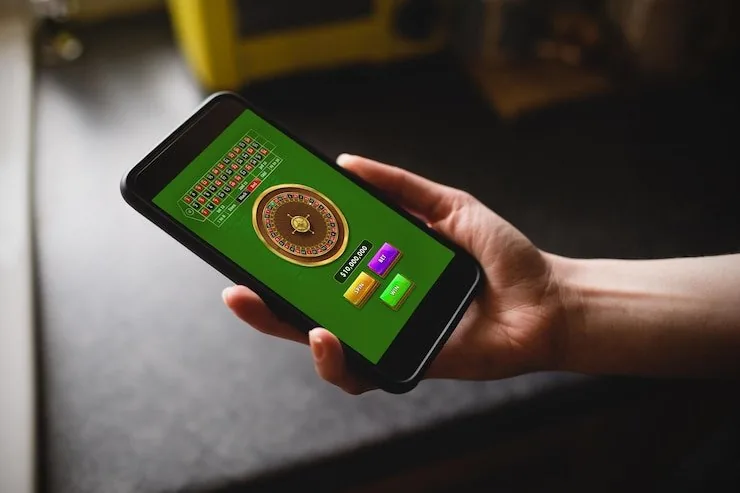
APP FEATURE BREAKDOWN

Four Things the Mobile Build Gets Right

These are the functional details that matter when you're using the 877betcom app on the go — not marketing claims, but real screen-level behaviour you'll notice from the first session.

Fingerprint Login Skip the password on returning visits. Biometric login works on supported Android and iOS devices, cutting your sign-in path to a single touch from the lock screen.
Push Notifications Betslip settlements, deposit confirmations and live table alerts push directly to your screen. You control which notifications stay on inside the app settings.
Dark Mode Display The interface switches to dark mode automatically with your device setting, reducing eye strain during late-night sessions on Crash Wildspin or Roulette BlazeSpin.
Offline Lobby Preview Lose signal mid-scroll? The lobby thumbnail layout stays visible from cache so you can see game tiles and pick your title the moment connection returns.

Which Devices Work with the App

Before committing to a session on a new phone or tablet, run through this checklist to confirm your device is set up correctly for the 877betcom mobile experience. RTP data for individual games like Pakistan Green Wheel 502 or Roulette SpeedBoost is displayed only where the provider publishes it — check the game panel directly.

Browser CompatibilityChrome, Safari and Edge on current mobile OS versions handle the full lobby without display issues. Older or less-common browsers may not render live table streams correctly.
Screen LayoutPortrait and landscape orientations both work. The betslip and game tiles reflow automatically, so Football BetBonus and live baccarat tables display cleanly on screens from 5 inches upward.
Account RequirementsA verified account is required before you can use wallet shortcuts or enable push notifications. Complete your account verification step from the profile menu first.
Supported Device CheckFor the current list of confirmed devices and OS versions, check the mobile support page inside your account. 877betcom updates this list as new builds are tested and released.
Eligibility by RegionAccess to the mobile experience depends on local law and is available only in eligible regions. Confirm your region qualifies before creating or funding an account.
877betcom Mobile Access in 3 Steps

Mobile Access in 3 Steps

Getting the 877betcom mobile experience running on your phone does not require a complicated install process. The browser route is available right now, and any native app option — if currently offered — will be listed inside your account dashboard under the mobile section. Here is the straightforward path to get started from your device. Availability depends on your region and local

law, so confirm your eligibility before proceeding.

  • Step 1 — Open the Current Site — Navigate to 877betcom in your mobile browser. Chrome on Android and Safari on iOS both render the full lobby without any plugin or extra setting.
  • Step 2 — Check App Availability — Log in and head to your account dashboard. The mobile section shows whether a dedicated app build or shortcut install is currently offered for your device type.
  • Step 3 — Add to Home Screen — Use your browser's 'Add to Home Screen' option to pin 877betcom as a shortcut. It opens full-screen from your home screen, behaving like a native app without a store download.
  • Step 4 — Sign In Securely — Complete login with your credentials or enable biometric access once inside. Your account wallet, saved payment details and active betslip carry over from your last session automatically.

877betcom App — Questions Answered

These are the questions we hear most from Pakistan accounts about mobile access, device setup and app behaviour. If your question is not here, the account support channel has live assistance available.

Whether a native app build is currently available depends on your device type. Log in and check the mobile section of your account dashboard — any supported download or shortcut option will be listed there.

Yes. The mobile browser lobby gives you the same wallet options as desktop. Open the deposit panel, select JazzCash or Easypaisa, and complete the transfer using your mobile wallet PIN.

After your first standard login on a supported device, go to account security settings and enable biometric access. From that point, your fingerprint or face ID authenticates your session at the lock screen.

Your account state — betslip, wallet balance and active game — syncs to your session, not your device. Switch from desktop to mobile and the lobby picks up in the same place without re-logging in.

Push notifications fire for betslip settlements including live sports markets. Enable them in app settings and you will get an alert the moment a PSL or international cricket line is settled on your account.

First, confirm your browser is updated to the current version. Clear cache, then reload. If the issue continues, contact the account support channel — include your device model and browser version for a faster resolution.
Reference

877betcom App

Service availability depends on eligible regions and local law. Users should check local rules before opening an account.

Access may be available only where local law permits.